
Printing Partners Knowledge Library
What the IMb is, how to read the four bar types, what it tracks, and how it earns automation postage discounts. From a mailing house that applies it to millions of pieces.
Last updated: August 2026
The Intelligent Mail barcode (IMb) is a 65 bar barcode the United States Postal Service uses to sort and track letters and flats. It replaced the older POSTNET and PLANET barcodes, combining the routing information of one and the tracking information of the other into a single barcode that also unlocks automation postage discounts.
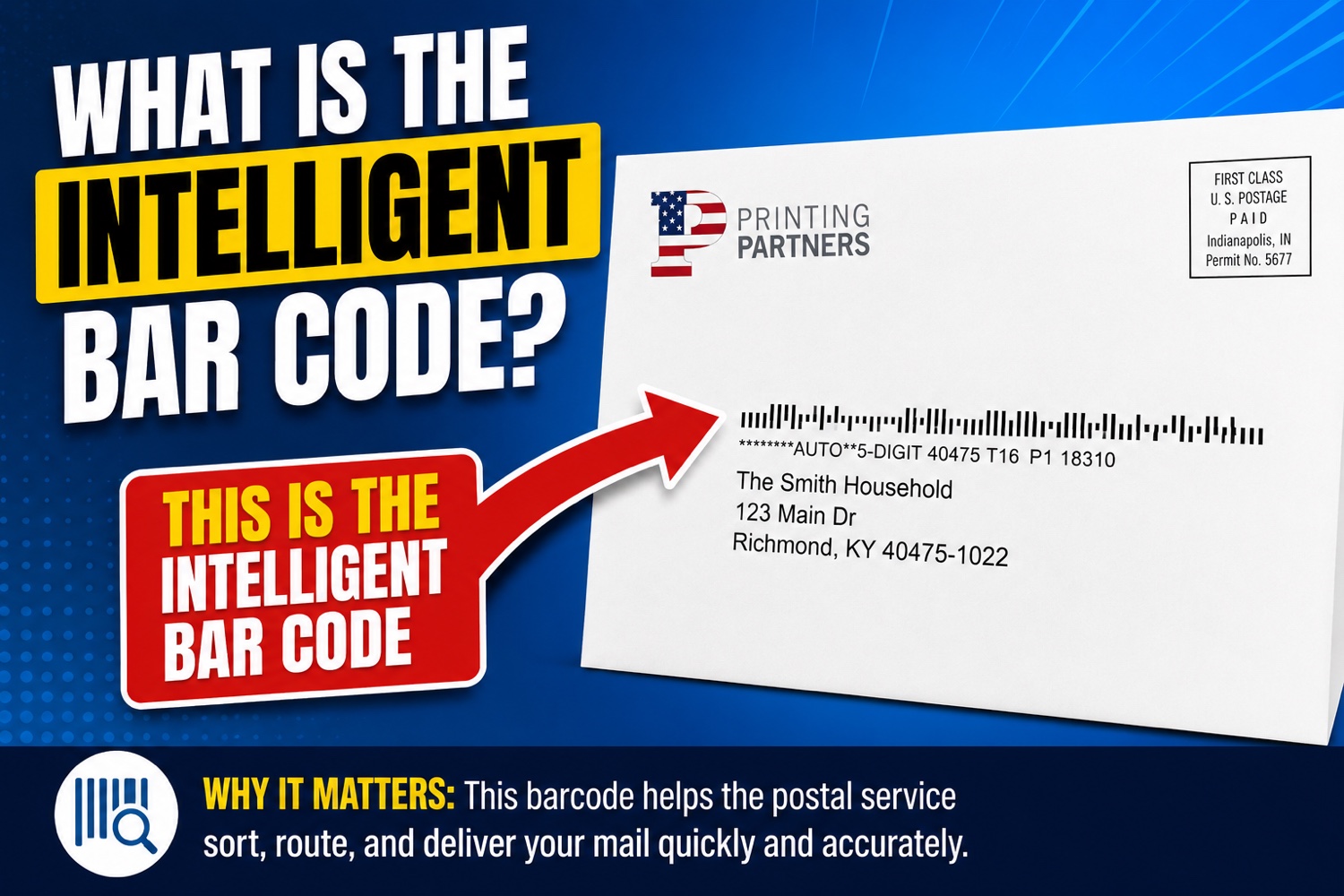
You have seen it thousands of times: a row of short and tall vertical bars printed near the address or in the lower right corner of an envelope. It looks simple, but each barcode carries up to 31 digits of encoded data that tell the Postal Service exactly where the piece is going, who mailed it, and which USPS services the mailer requested for that specific piece.
The IMb was formerly called the 4-State Customer Barcode, a name that describes how it works. Every bar is one of four shapes, and the pattern of those shapes is the code. The sections below break down the four bar types, the data fields, how it compares to the barcodes it replaced, and why it matters for anyone mailing at volume.
Every one of the 65 bars sits in one of four states. Each bar has a central tracker zone, and whether it extends up, down, both, or neither is what encodes the data.
Spans the whole height, both above and below the tracker zone. The tallest bar.
Rises from the tracker zone upward only. Tall on top, stops at the tracker baseline.
The short central bar only. Every position has at least this middle segment.
Drops from the tracker zone downward only. Short on top, extends below.
Under the hood, the 65 bars encode 130 bits of data as ten 13 bit characters, including an 11 bit error check. You do not need the math to use it. What matters is that this compact pattern carries everything below.
The human readable version is a string of 20 to 31 digits: a 20 digit tracking code plus an optional routing code. Those digits break down into five fields.
A note on a common misconception: the IMb holds up to 31 digits, not 31 separate pieces of data. The unique serial number is what lets the Postal Service and the mailer follow one specific envelope through the mail stream.
The IMb replaced two older postal barcodes and merged what each one did. POSTNET carried routing. PLANET carried tracking. The IMb does both, and more, in one symbol.
POSTNET was phased out beginning in 2009, and since January 28, 2013 the IMb has been required to qualify for automation postage prices. Mail using the old barcodes no longer earns the discount.
No. They are three different barcodes for three different jobs. The IMb is a postal barcode read by USPS mail sorting equipment, not by a phone or a store scanner.
Many mailers pair the two: the IMb routes and tracks the piece, while a printed QR code on the same envelope gives the recipient a scannable link. They complement each other rather than compete.
One barcode lets a mailer request several USPS programs at once. These are the ones that matter most.
The IMb is required to earn automation prices. The discount is a fraction of the retail rate per piece, which adds up quickly across a large mailing.
The maximum discount tier. It requires unique barcodes on pieces, trays, and containers, plus electronic documentation. Serial numbers must stay unique for at least 45 days.
Through the Service Type ID, the mailer can receive electronic address change notices when a recipient has moved, keeping the mailing list current.
The IMb links a mailpiece to the grayscale preview image the USPS emails recipients each morning, and to a campaign the mailer can set up to run alongside it.
Near real time tracking of where pieces are in the mail stream, so a mailer can estimate in home dates for a statement run or a campaign.
Unique barcodes streamline USPS acceptance and verification, reducing manual checks at induction for large, regular mailers.
The Mailer ID is assigned by the USPS through the Business Customer Gateway at gateway.usps.com. Under Design and Prepare, you request a Mailer ID and receive either a 6 or 9 digit number based on your mailing volume. High volume mailers get the shorter ID.
If you mail through a service provider like Printing Partners, you do not have to manage any of this. We apply a compliant IMb to every piece using the correct Mailer ID and service codes, so your mail qualifies for automation rates without you touching the Gateway.
On a standard envelope, the IMb sits in one of two approved spots: the lower right corner of the mailpiece, in the barcode clear zone, or directly below the address block. A self mailer follows the same placement rules on the address panel.
The clear zone must stay free of other printing so USPS equipment can read the bars cleanly. When we design or lay out a mailpiece, we reserve that space from the start, which is a common reason home made mailings fail to qualify for the discount.
It is required to qualify for automation postage prices, which has been the case since January 28, 2013. You can mail without it at full retail postage, but any mailer seeking presort or automation discounts must use a correct IMb on every piece.
Each piece carries a unique serial number inside the barcode. As USPS equipment scans the piece at processing points, those scans are tied to the serial number and reported through Informed Visibility, so the mailer can see where the mailing is in the stream and estimate delivery.
POSTNET was an older, shorter barcode that carried only routing information and could not track individual pieces. The IMb carries routing plus a unique per piece serial and requested services in one barcode. POSTNET was retired for automation pricing in 2013 and the IMb replaced it.
Basic IMb applies a barcode to each piece. Full-Service IMb goes further: it requires unique barcodes on pieces, trays, and containers, plus electronic documentation submitted to the USPS, and it earns the deepest discount. Serial numbers used in a Full-Service mailing must remain unique for at least 45 days.
Yes. The IMb is how a mailpiece is matched to the grayscale scan the USPS emails recipients through Informed Delivery. A mailer can attach a digital campaign, such as a clickable image and link, to run alongside the physical piece.
Not if you use a mailing service. You can register your own Mailer ID through the USPS Business Customer Gateway, but when Printing Partners produces your mail, we apply a compliant barcode with the correct identifiers so you do not have to manage the registration or the postal software.
In the lower right barcode clear zone of the mailpiece, or directly beneath the address block. That area must be kept clear of other printing so USPS scanners can read the bars. On a self mailer, the same rules apply to the address panel.
Let Printing Partners handle the barcoding, address hygiene, and presort so your mail earns every postage discount it qualifies for.
929 W 16th Street, Indianapolis IN 46202. Family-owned since 1989.